Turn Your DSLR/Mirrorless into a Cloud Long-term Timelapse Camera
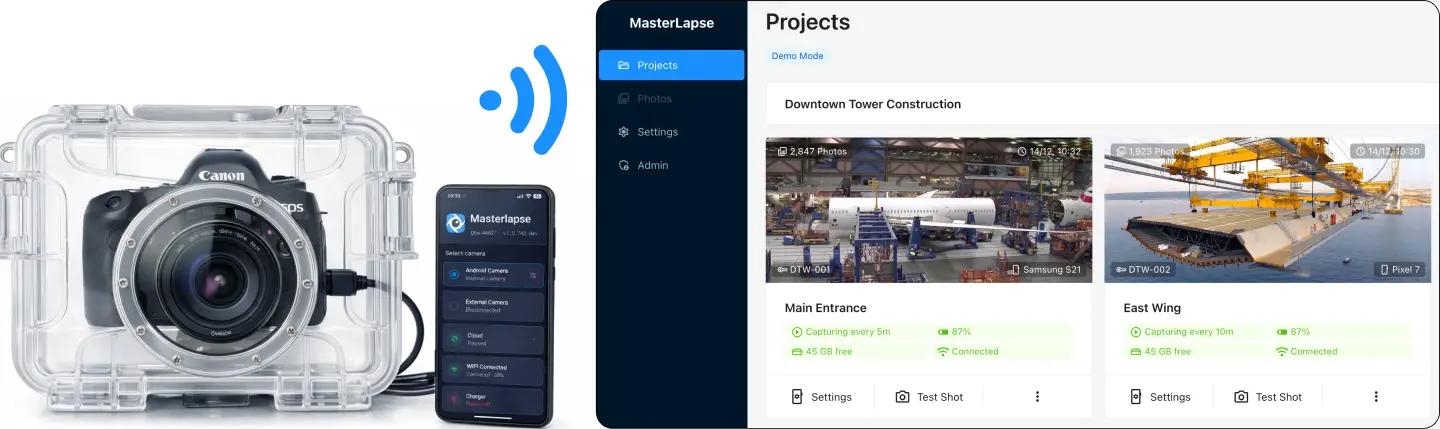
Turn any spare Android phone into a remote controller for your Canon, Nikon, Sony or Fuji camera. Each photo is uploaded to the cloud in real time and local storage is freed automatically.
OR
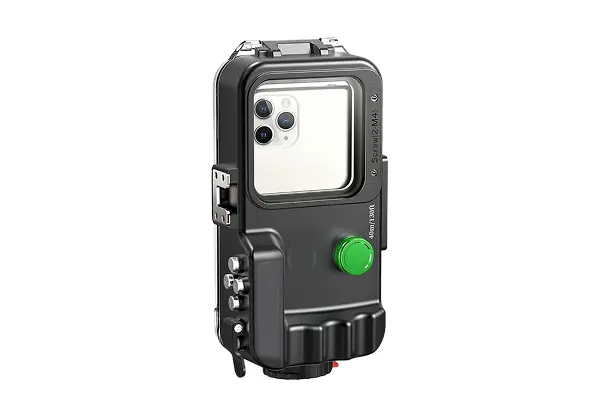 Do you want to use the phone built-in camera instead?
 - check_circle Real-time cloud upload over 4G/5G or WiFi
- check_circle Offline mode — uploads when back online
- check_circle Monitor and control remotely via dashboard
- check_circle Canon, Nikon, Sony, Fuji supported
- check_circle Remote exposure control (ISO, EV±)
- check_circle JPEG + RAW capture
- check_circle 5-minute setup — Get started
smartphone
Android Controller
signal_cellular_alt
Works over 4G, 5G, or WiFi
timer
Intervallometer
cloud_upload
Upload in real time
arrow_upload_progress
Offline mode — uploads when back online
delete_sweep
Frees storage after upload
photo
In-app test shot
location_on
GPS
key
Token-based easy authentication
verified_user
Guided permissions setup
dashboard
Remote Monitoring & Control
schedule
Intervallometer Controls
pause_circle
Capturing enabled/paused
timer
Interval starting from 10s
speed
Upload speed testing
schedule
Basic scheduling
date_range
Advanced scheduling
tune
Camera Remote Controls
raw_on
RAW capturing
photo_camera
Test shot (remote)
photo_library
Gallery
grid_view
Grid view
play_circle
Player view
cloud_download
Bulk download (up to 500 GB)
videocam
Video Cloud Rendering
high_res
Video rendering up to 4K
aspect_ratio
Aspect ratio control (16:9, 4:3)
speed
FPS control
notifications
Real-Time Status & Alarms
signal_cellular_alt_2_bar
Poor network signal
battery_2_bar
Low battery
power_off
Power-off
device_thermostat
Device overheating
DSLR/Mirrorless Control FAQ
Which cameras are supported? expand_more
MasterLapse supports most Canon, Nikon, Sony, and Fujifilm cameras that use the PTP/USB protocol. The system auto-detects your camera and its capabilities. Check the full list on our supported devices page.
What cable do I need? expand_more
A USB-C to USB-A female OTG adapter for your phone, plus your camera's standard USB cable. USB 2.0 is sufficient. Not all adapters work reliably — see our Field Setup Guide for detailed recommendations on choosing the right one.
Can I control DSLR/Mirrorless exposure settings remotely? expand_more
Not yet. You can select the image format (RAW/JPEG) from the dashboard, but full remote exposure control (shutter speed, aperture, ISO, white balance) is planned for a future release. Due to the wide range of camera models supported, this requires careful per-model implementation. For now, set your desired exposure on the camera itself before deploying.